Shops and vendors directory
Who: everyone with access can look shops up. Admins and managers approve, suspend and mark preferred shops. What each role can do is set in Shops and vendors › Settings.
Finding a shop #
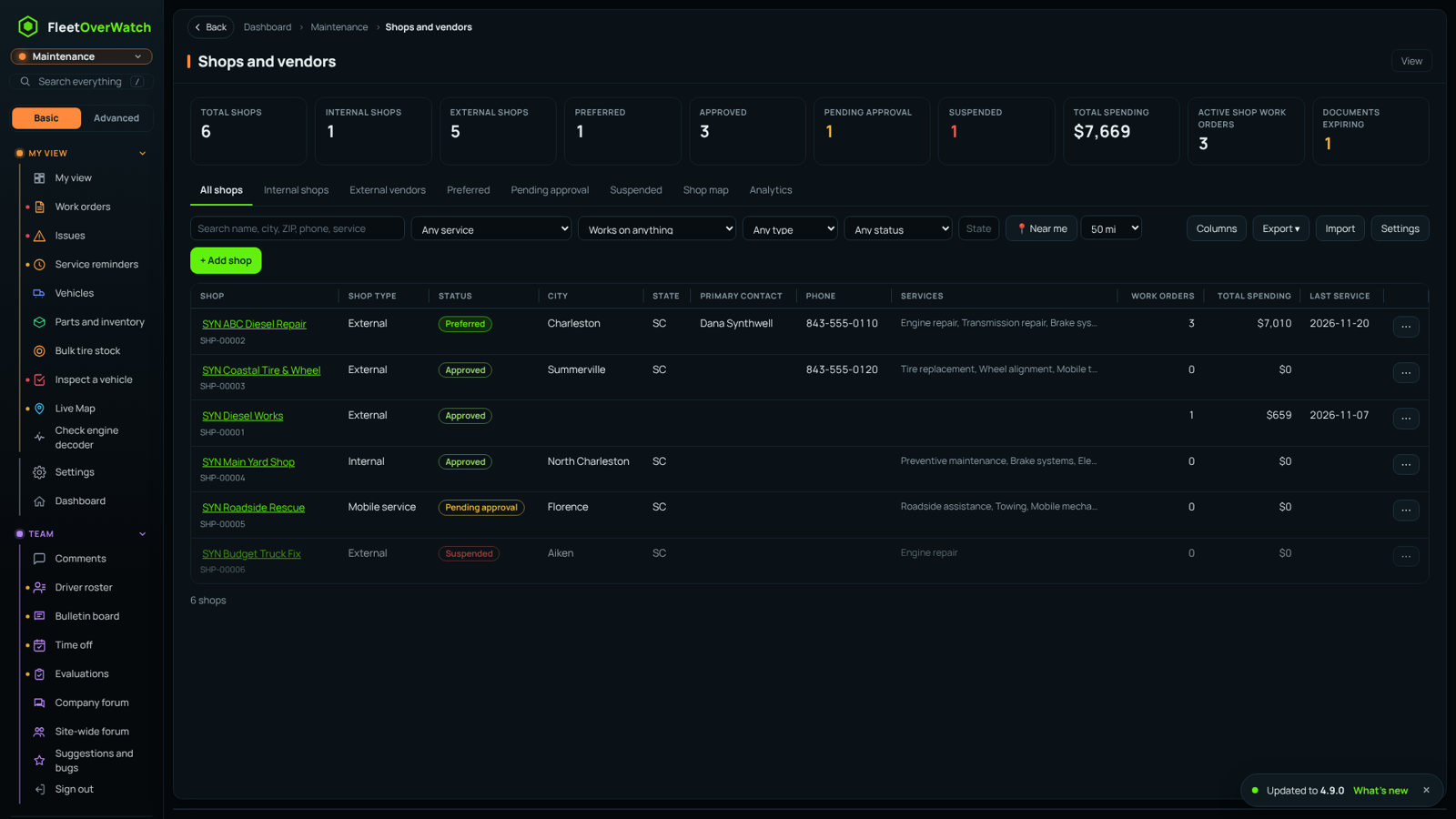
- Tabs: All shops, Internal shops, External vendors, Preferred, Pending approval, Suspended, Shop map, Analytics. The Documents expiring card lists shops with documents running out.
- Filters: search, type, service, status, state, equipment it can work on, and Near me with a radius (uses your location, each shop's other locations and its service radius). Filters and the columns you pick are remembered on this device.
- Preferred shops are listed first. A shop that is Suspended, Do not use or Archived cannot be put on a work order; a Conditional shop needs a manager's approval, which is recorded on the work order.
A shop's profile #
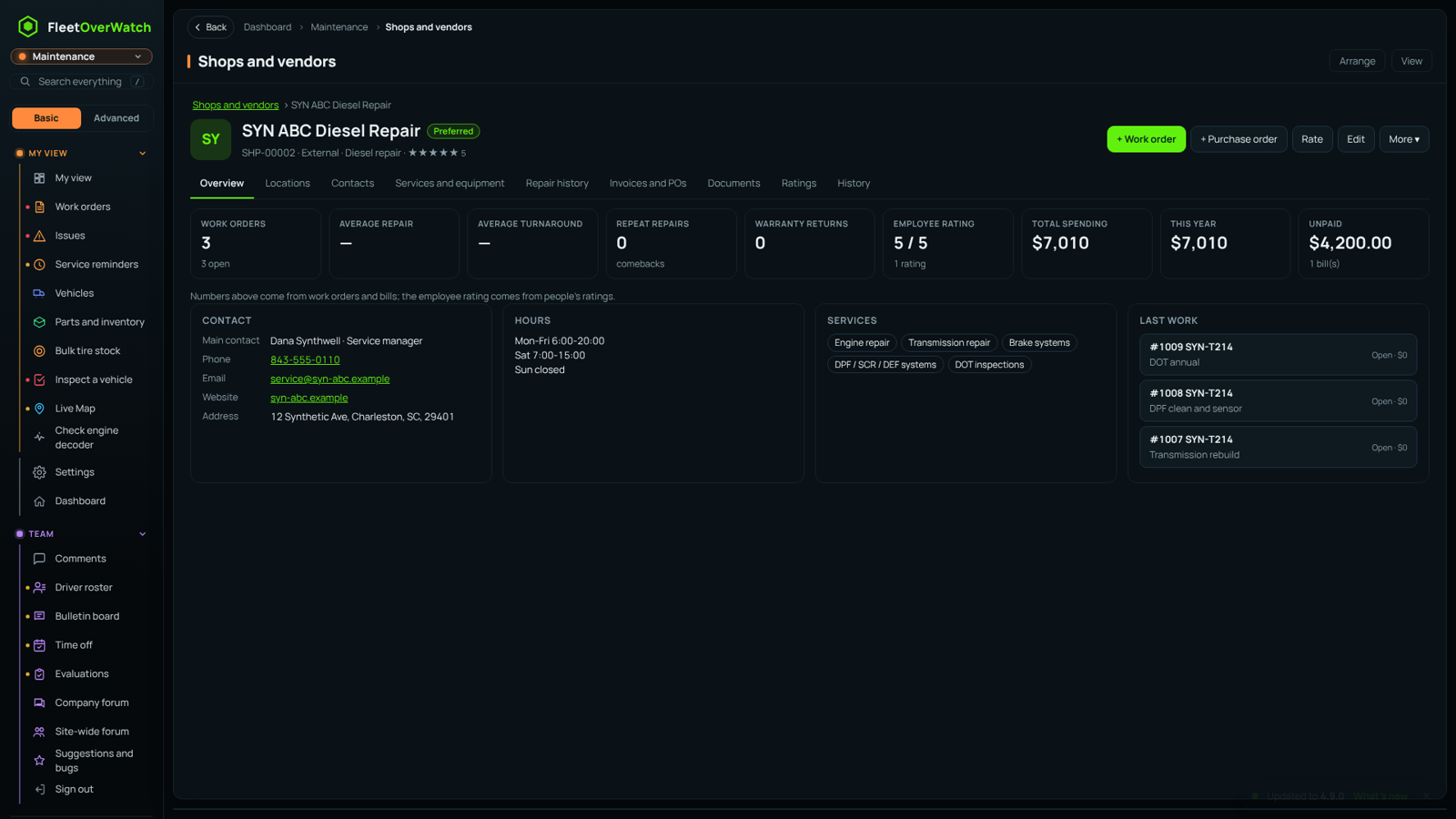
Tabs: Overview, Locations (each with its own address, hours and map pin), Contacts, Services (the checklist of what they do), Repairs (work orders sent there), Money (spending, purchase orders and bills; only for people allowed to see costs), Documents (insurance, licenses, W-9, contracts, with expiry dates), Ratings and History (every change, who made it and from where).
Metrics are worked out for you: number of repairs, average cost, average turnaround, repeat repairs (comebacks), warranty returns and the average employee rating.
Approval #
With Require approval on, a new outside shop added by anyone other than an admin or manager starts as Pending approval. Approvers can approve, approve with conditions, ask for more information or reject (a reason is required to reject, suspend or mark Do not use). Admins get a notice for each new shop.
Documents that expire #
You are warned a set number of days before a document expires (default 30). When insurance, a license or a contract expires the shop can be left as it is, made Conditional or Suspended, as set in Settings.
The vendor portal #
Invite sends the shop's contact a private link (it opens vendor.php on your site; only a fingerprint of the key is kept here). Through it the vendor can see the work orders sent to them, post progress and estimates, mark a job complete, send an invoice with its PDF, upload documents, and ask to change their details. Changes to their details wait for your approval under History.
Import and export #
- Import a CSV or Excel file: match the columns, look at the preview, and see possible duplicates (same name, phone or address) and errors. Duplicates are never merged on their own; they are skipped unless you fix them.
- Export the directory or the analytics as CSV, Excel or PDF.
The shop and vendor map #
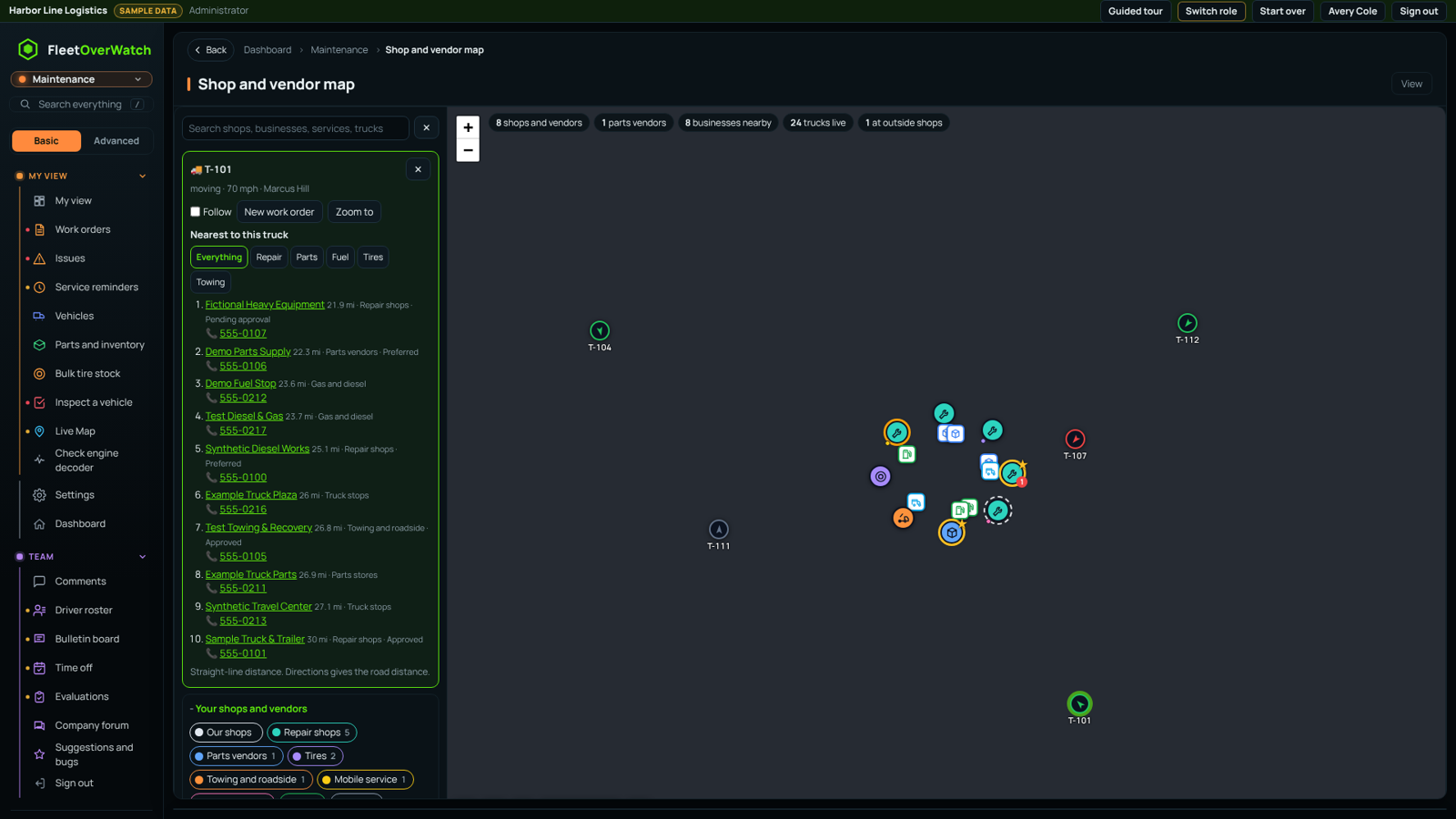
Shops and vendors › Shop and vendor map (also the Live map tab in the directory). It is separate from the main live map.
- Your shops and vendors are round pins coloured by kind: repair, parts, tires, towing and roadside, mobile, fuel, dealerships, our shops. A star marks preferred, an amber ring conditional, a dashed ring pending, and red slashed suspended or do not use. Faded means closed now. The red number is the number of our trucks there.
- Businesses nearby are square pins: parts stores, gas and diesel, truck stops, repair, tire shops and towing, with phone numbers. Zoom in to a city or county; with Search as I move the map on, they load as you move.
- Trucks move live. Click one for the nearest repair shops, parts stores, fuel, tires or towing, with miles and phone numbers. Right-click or long-press the map for what is nearest to that spot.
- Filters: search, kinds, status, service, rating, open now, working on our trucks, service radius, names, and Show or hide single vendors. The truck filters include No shop near, which rings trucks with no repair shop within the miles you set.
- Find on map places shops that have an address but no map position. This also happens on its own, a few every 10 minutes.
Where business listings come from (⚙, company admins):
- OpenStreetMap is free and on by default. Phone numbers appear where people have added them.
- TomTom uses the company's TomTom key.
- Google Places has the most complete phone numbers and hours, and Google charges per search. Turn on Places API (New) and Map Tiles API for the key, and restrict it to the server's IP address. Google listings appear only on the Google map, as Google requires; the tiles come through the server, so the key never reaches a browser. Set a daily limit on searches.
Google and TomTom listings are for viewing and are not stored. An OpenStreetMap listing can be added to your directory with Add to my vendors.
Maintenance timers: bulk actions and alerts #
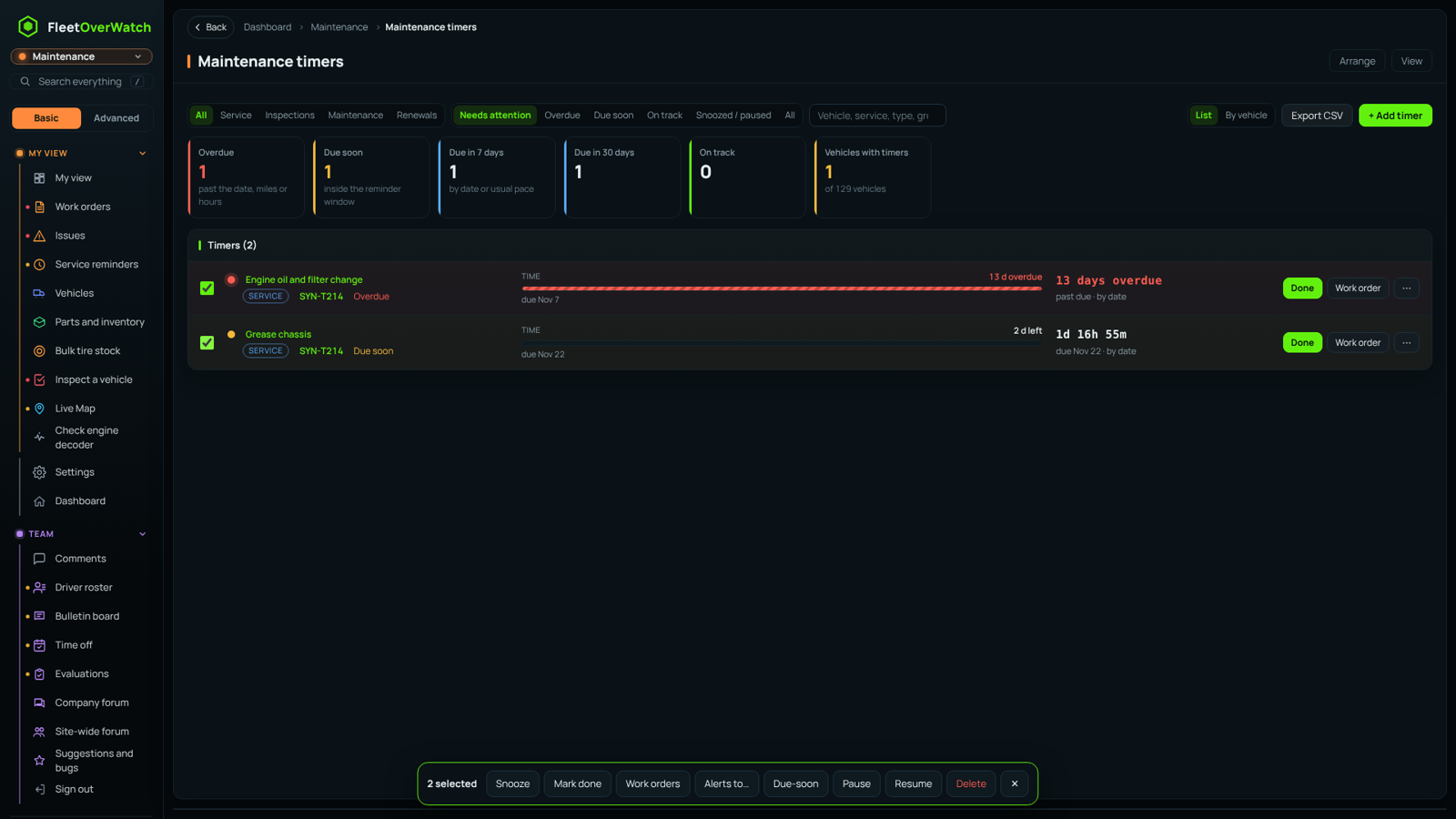
Tick timers to Snooze, Mark done, open Work orders, set Alerts to (usernames, email addresses or mobile numbers), change the Due-soon window, Pause, Resume or Delete them together. Timers can be by date, by miles or hours, or both; meters come from GPS, inspections, fuel and service entries. Due-soon and overdue alerts go by in-app notice, email, text message (when Twilio is set up) and phone push (ntfy), and repeat every few days until done.
Prepared by Franko.
Something here out of date or unclear? Tell your administrator and mention “shops-vendors” and version 4.9.2.