Dispatch, loads and route planning
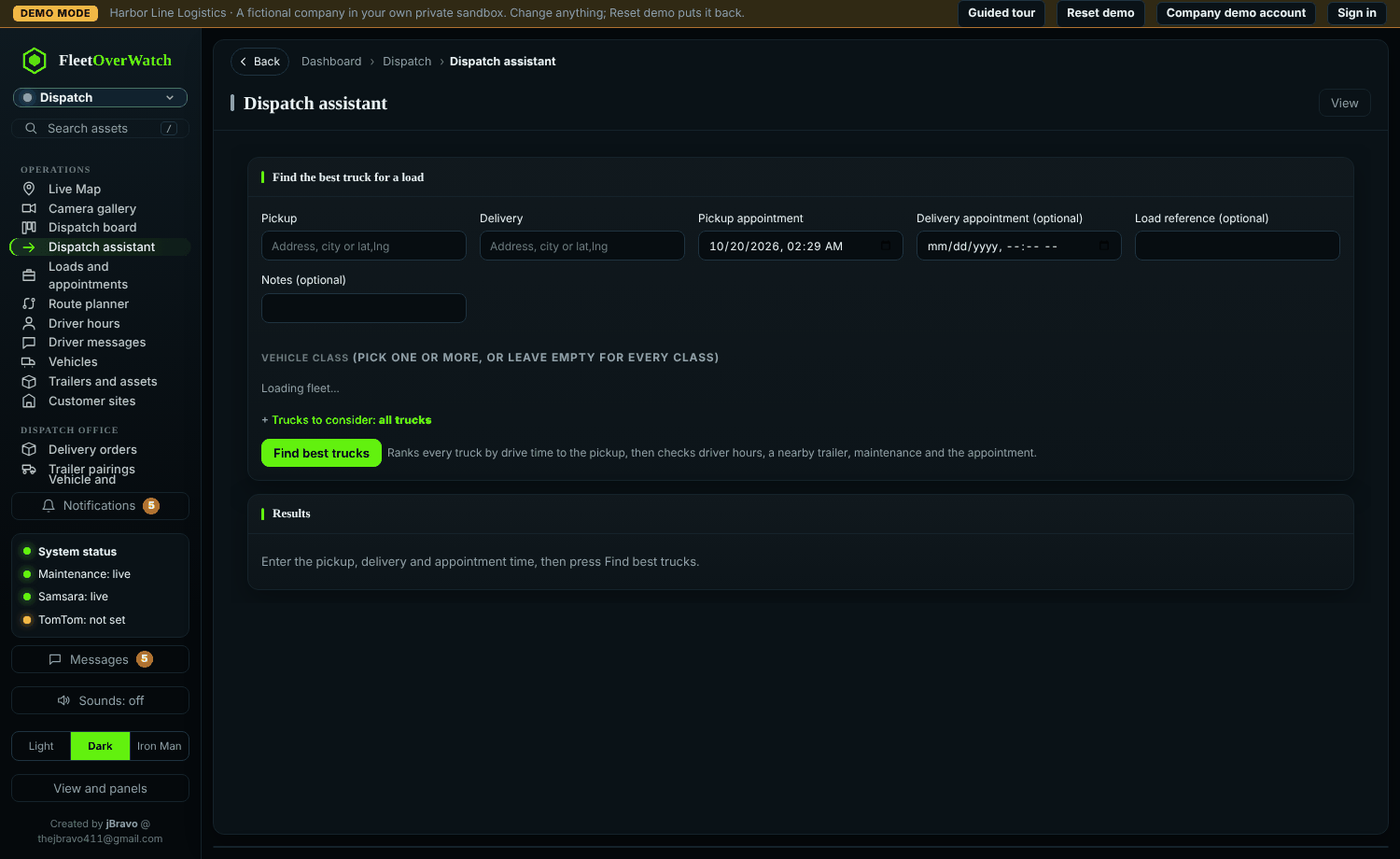
- Dispatch > Loads: create a load with pickup and delivery places and appointment times.
- Rank shows the trucks that can make it, by drive time and hours of service left; choose one to assign it.
- Follow it on the board: picked up, delivered, late risk.
- The route planner plans a route with stops and alternatives, shows traffic, construction and weather on the way, and whether it fits the driver's hours. Use this route shares it on every live map.
- Messages reach drivers and teams; replies appear as they arrive.
Trailer pairings and vehicle reservations show who has which unit and when.
Readiness check (4.6.0) #
When you pick a truck for a load (Dispatch assistant, Loads and appointments, Dispatch board), the system checks it:
| Check | Not ready when |
|---|---|
| Service | a service reminder is overdue (stop) or due (check) |
| Defects | an open or in-progress issue; Critical or High priority stops it |
| Status | the truck is Out of Service or In Shop |
| Driver hours | the driver lacks the driving, shift or cycle time for the trip, or would be left with under 10% |
- Truck pickers list ready trucks first; the others show the reason ("Overdue for PM-A…", "Open defect…").
- Assigning a truck that is not ready opens the reasons, each with Open to see the record, and asks why it is going anyway. With a short note it is assigned; the note, your name and the reasons are recorded and written to the audit log ("dispatched not ready").
- No driver signed in yet is only a note: their hours are checked once they sign in.
Something here out of date or unclear? Tell your administrator and mention “dispatch” and version 4.9.2.