Fuel, expenses and costs
- Fuel entries come from imports, fuel card feeds or are entered by hand; MPG is worked out from the odometer.
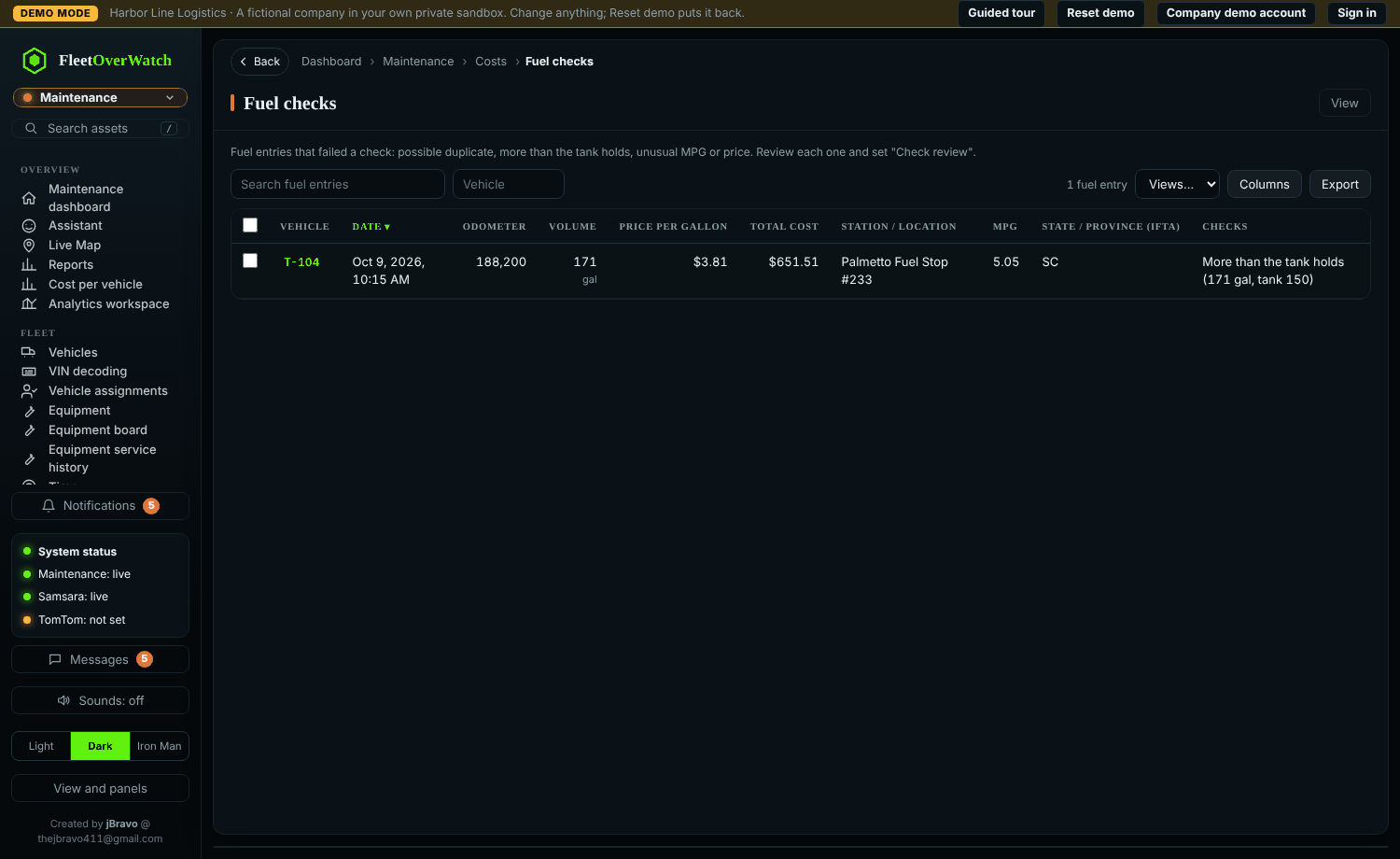
- Fuel checks flag entries that do not add up: more gallons than the tank holds, two fills too close together, MPG outside the normal range or an unusual price. Mark each as Confirmed OK, Investigating or Fraud / error.
- Expenses (insurance, tolls, towing...) above the approval limit wait for approval.
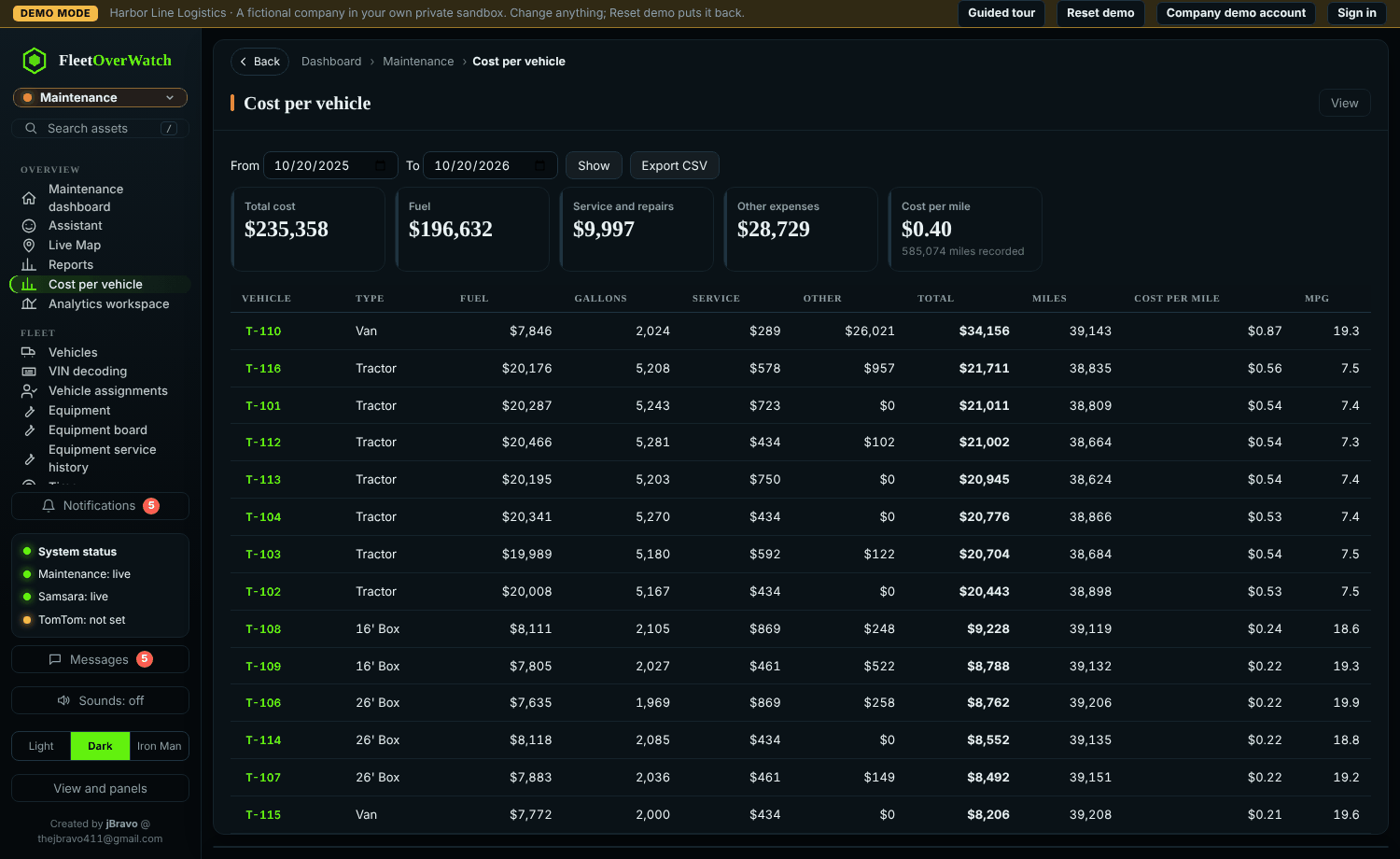
- Cost per vehicle and Finance pages show cost by unit, month and reason, and cost per mile.
Cost per mile (live) (4.6.0) #
Finance, Maintenance and Command › Cost per mile (live) ranks every truck by its running cost per mile:
- Made up of fuel (fuel entries), parts and labor (work orders, and service logged without one), tires (tire costs not on a work order) and downtime (work order downtime hours × the cost per hour you set).
- Miles come from odometer readings (telematics and fuel entries): the last reading of each month minus the last reading before it. A reading that goes backwards is ignored.
- Trend: the last 3 months against the 3 before. Lifetime: every month on record. Click a truck for month by month.
- Repair or replace: in Settings on that page (or Settings › Operations) an administrator sets the limit in dollars per mile, the running period, the downtime cost per hour and the fewest miles to be ranked. Trucks above the limit are flagged with the reason.
- Roles with costs hidden (Data access) do not see the page.
Something here out of date or unclear? Tell your administrator and mention “fuel-costs” and version 4.9.2.