Requisitions, purchase orders and receiving
Request parts #
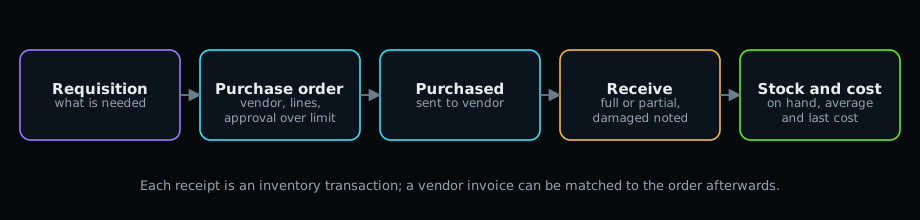
Maintenance > Purchase requisitions > New: the parts needed, by when, and the vendor if known. Submit it; a manager selects Approve and then Make purchase order.
Purchase orders #
- Maintenance > Purchase orders > New (or from a requisition or a work order).
- Choose the vendor and the receiving location; add lines (part, quantity, unit cost).
- Save as Draft. Orders above the approval limit go to Pending Approval; a manager approves them.
- Set Purchased when it is sent to the vendor.
Receive #
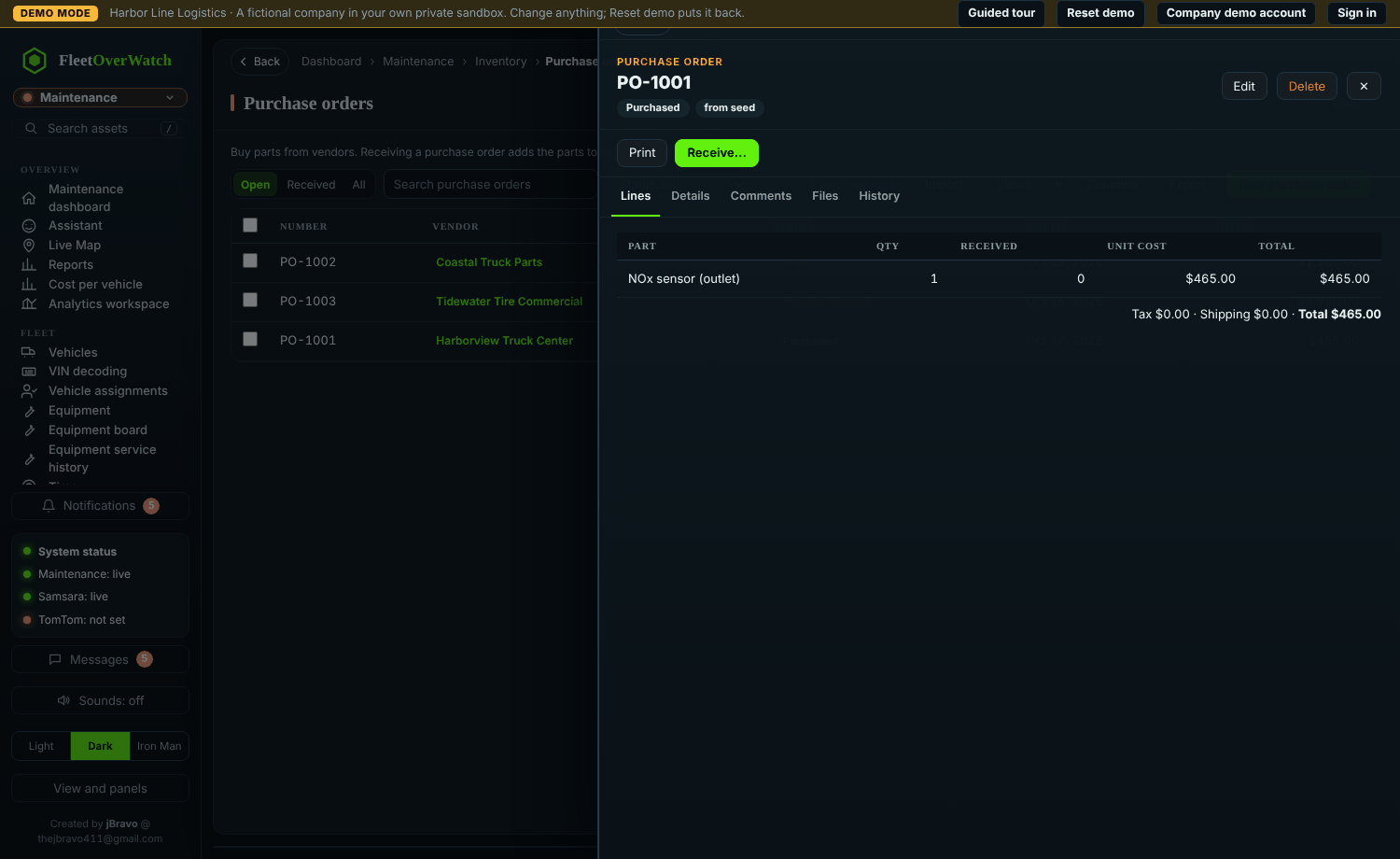
- Open the order and select Receive….
- Enter what arrived per line (less than ordered is fine: the order becomes Partially Received). Note damaged items.
- Confirm.
Expected result: stock increases at the receiving location, average and last cost update, and parts on order decrease.
Vendor invoices #
Maintenance > Vendor invoices records the invoice and matches it to the order; differences above the tolerance are flagged for review.
Something here out of date or unclear? Tell your administrator and mention “purchasing” and version 4.9.2.